Calendar
Every appointment in one calendar
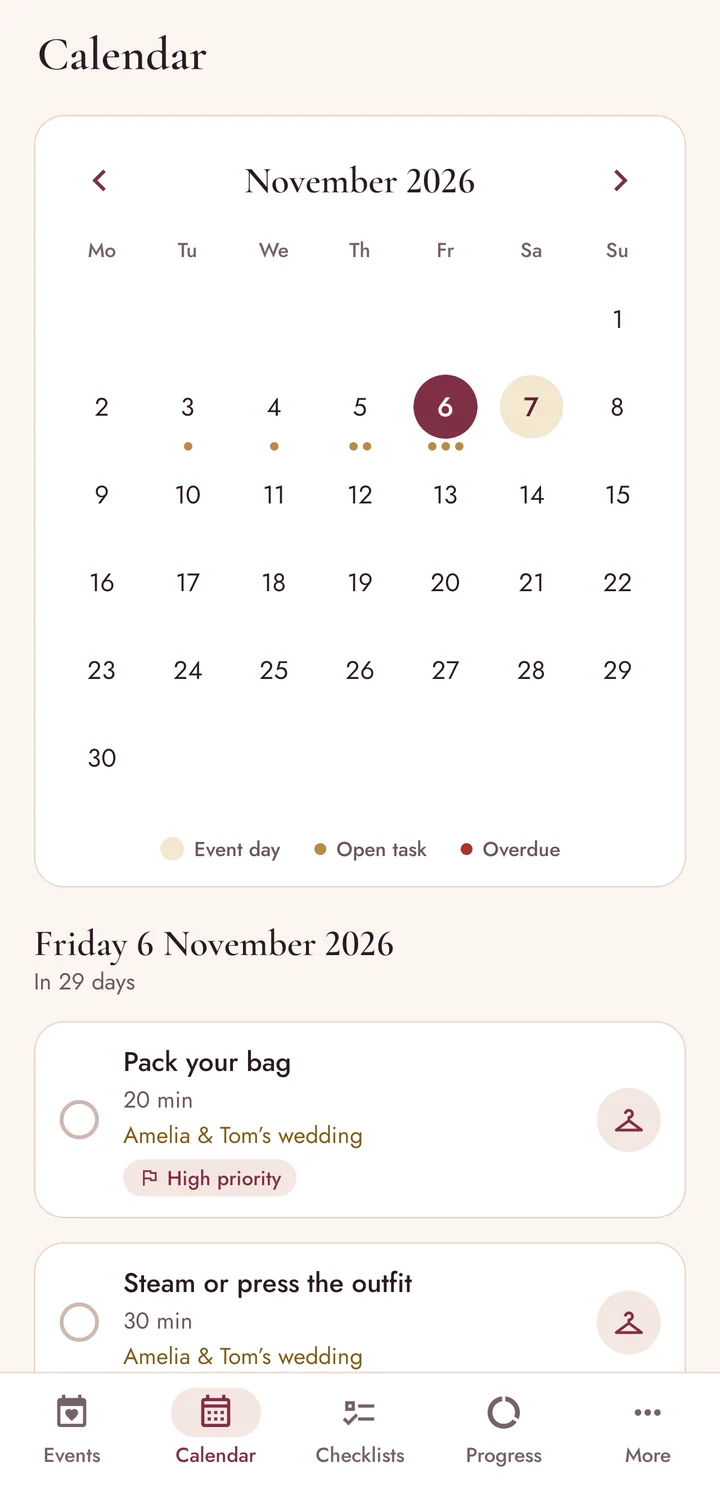
A month view across all your events. Tap a day to see what is planned, what is overdue and what is coming in the next two weeks, or to add a task to it.
Beauty preparation planner for Android
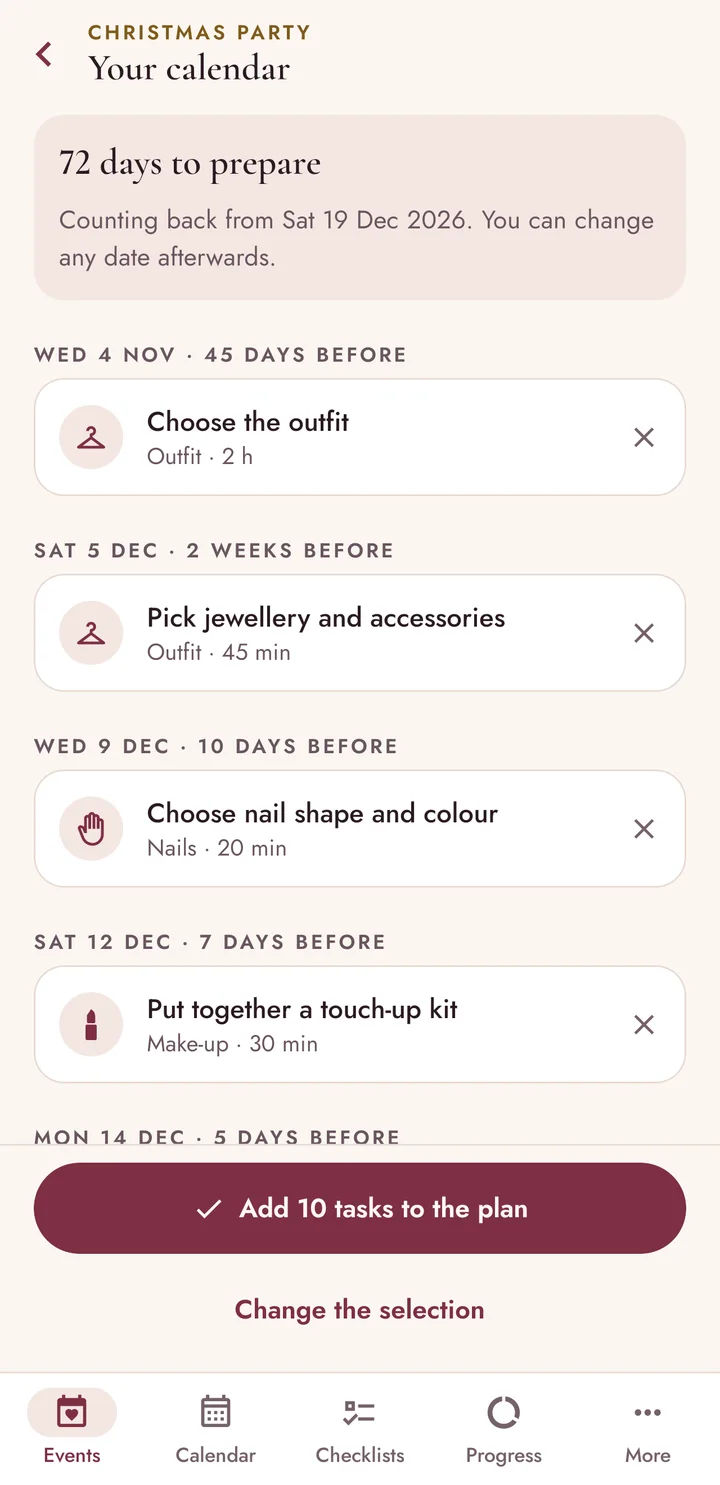
Set the date of a wedding, a photoshoot, a prom or a party and choose the treatments you want. Beauty Event Planner works out when to book each one: hair trial six weeks ahead, facial a week before, manicure the day before.
Free for Android Coming soon to Google Play
No account. No adverts. Works offline.
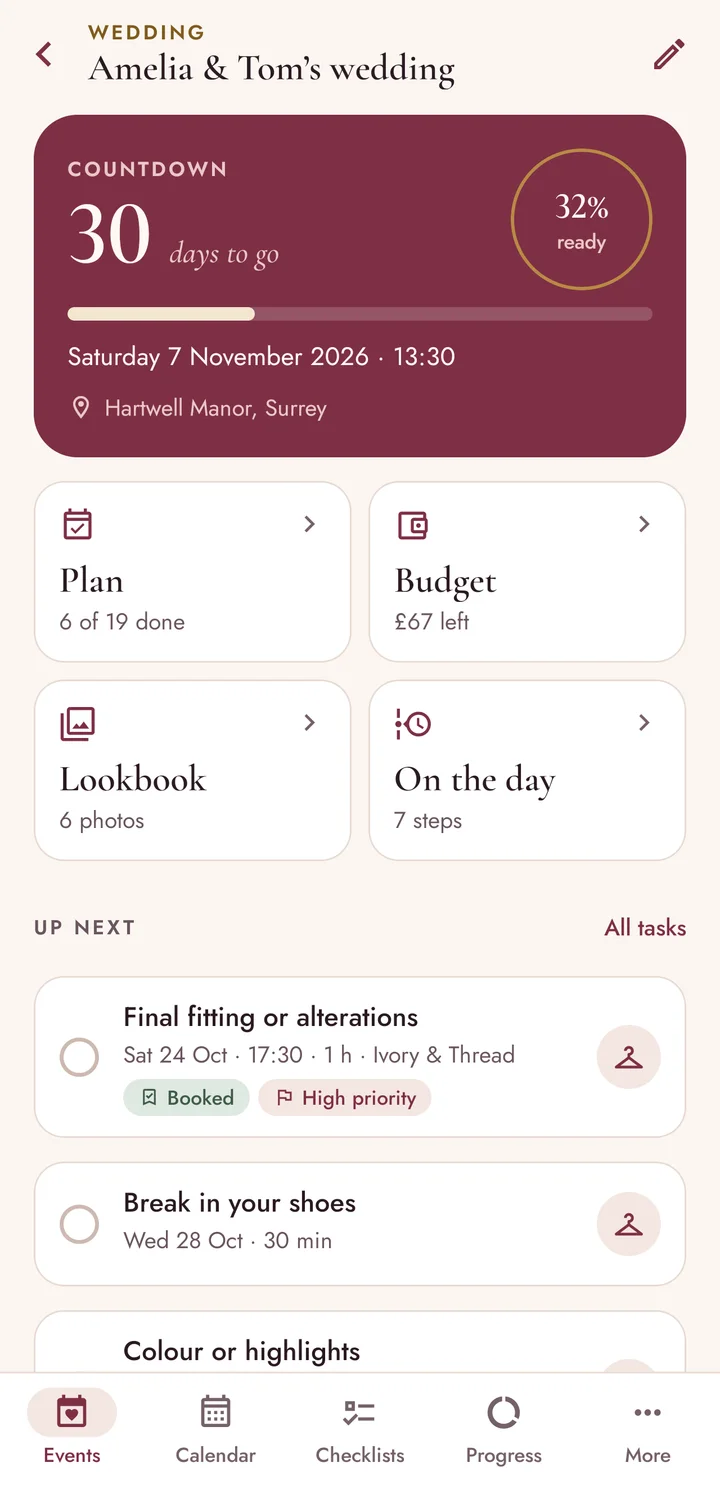
Usual lead times of five of the 42 steps in the app. You can move any of them.
How it works
Create an event, give it a date, and let the app place every appointment where it belongs.
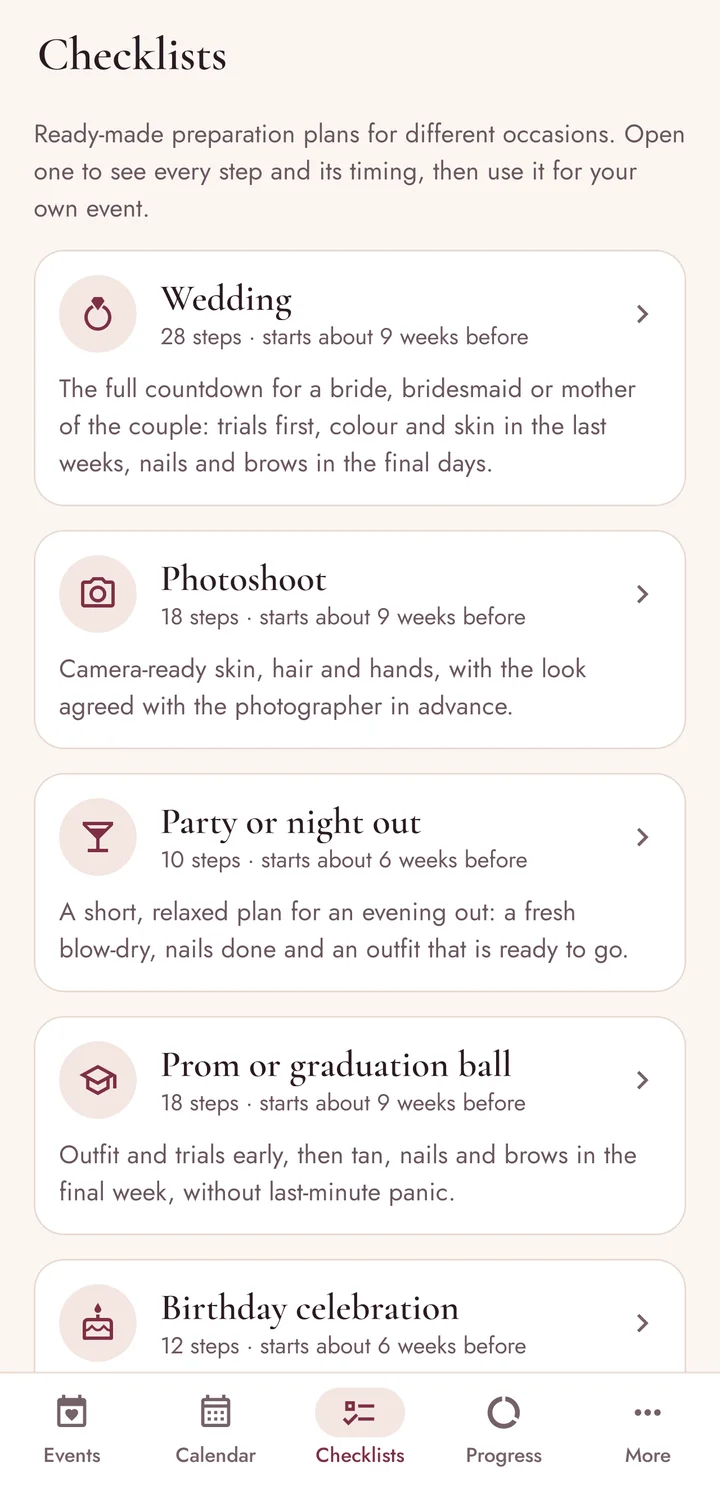
Choose from 42 preparation steps for hair, make-up, nails, skin, brows, body, outfit and wellbeing, or start from a ready-made checklist.
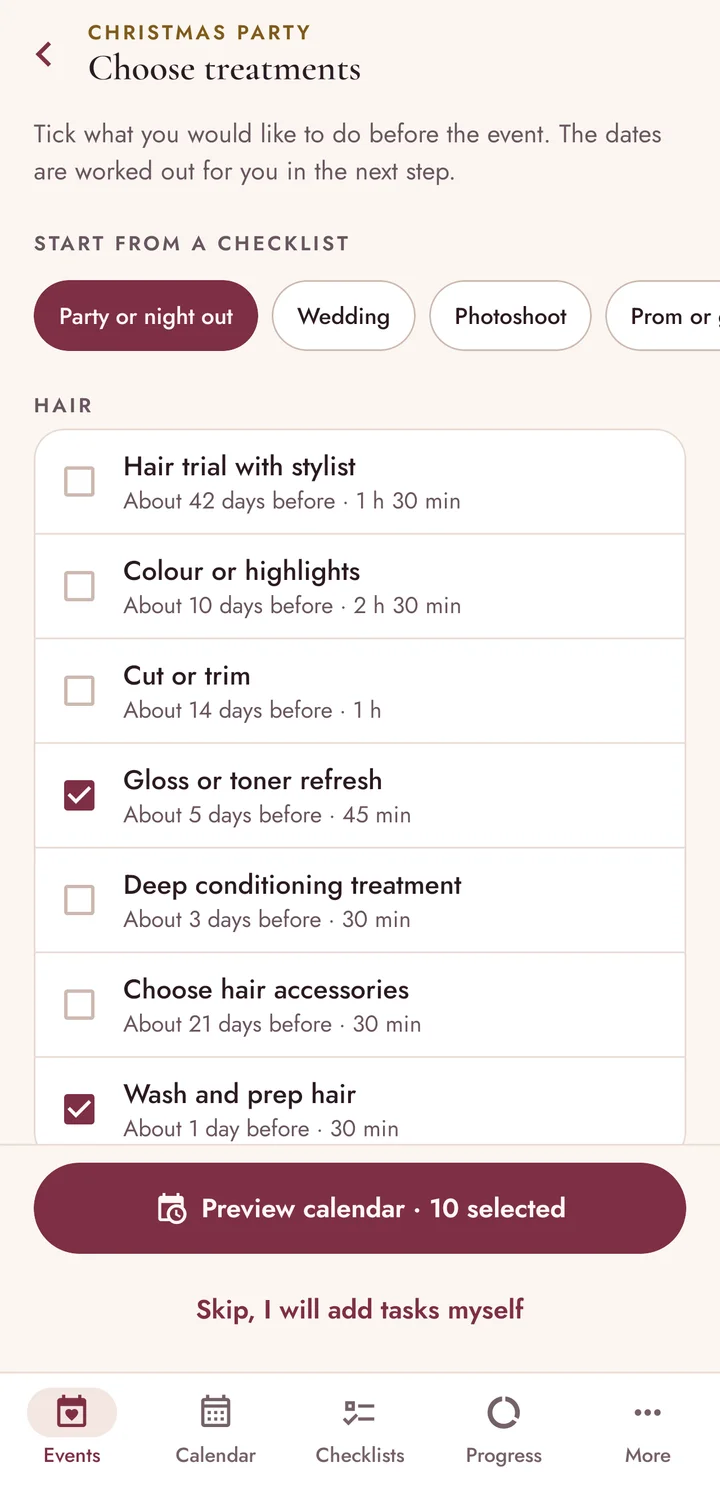
Each step lands on a sensible day before the event. If time is short, the plan is squeezed into the days you have and the tight steps are marked.
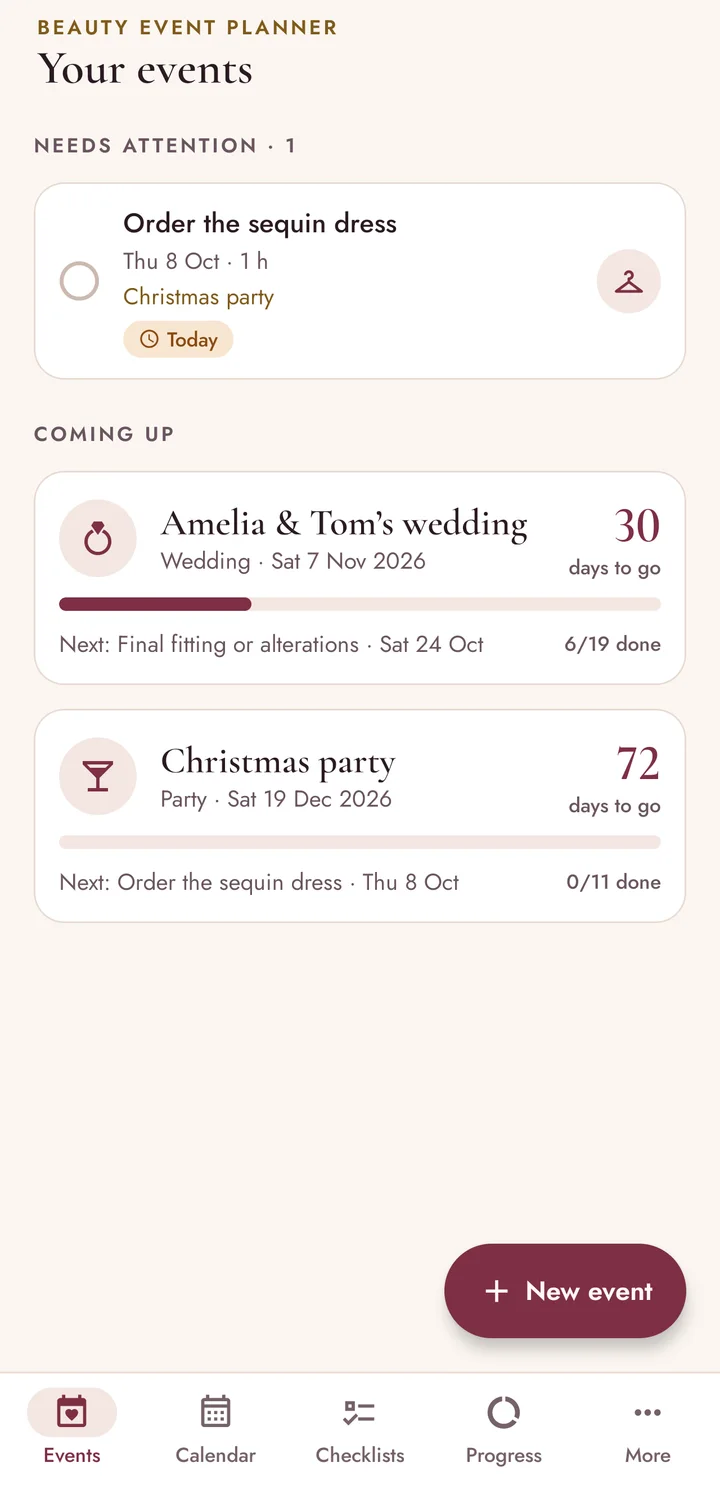
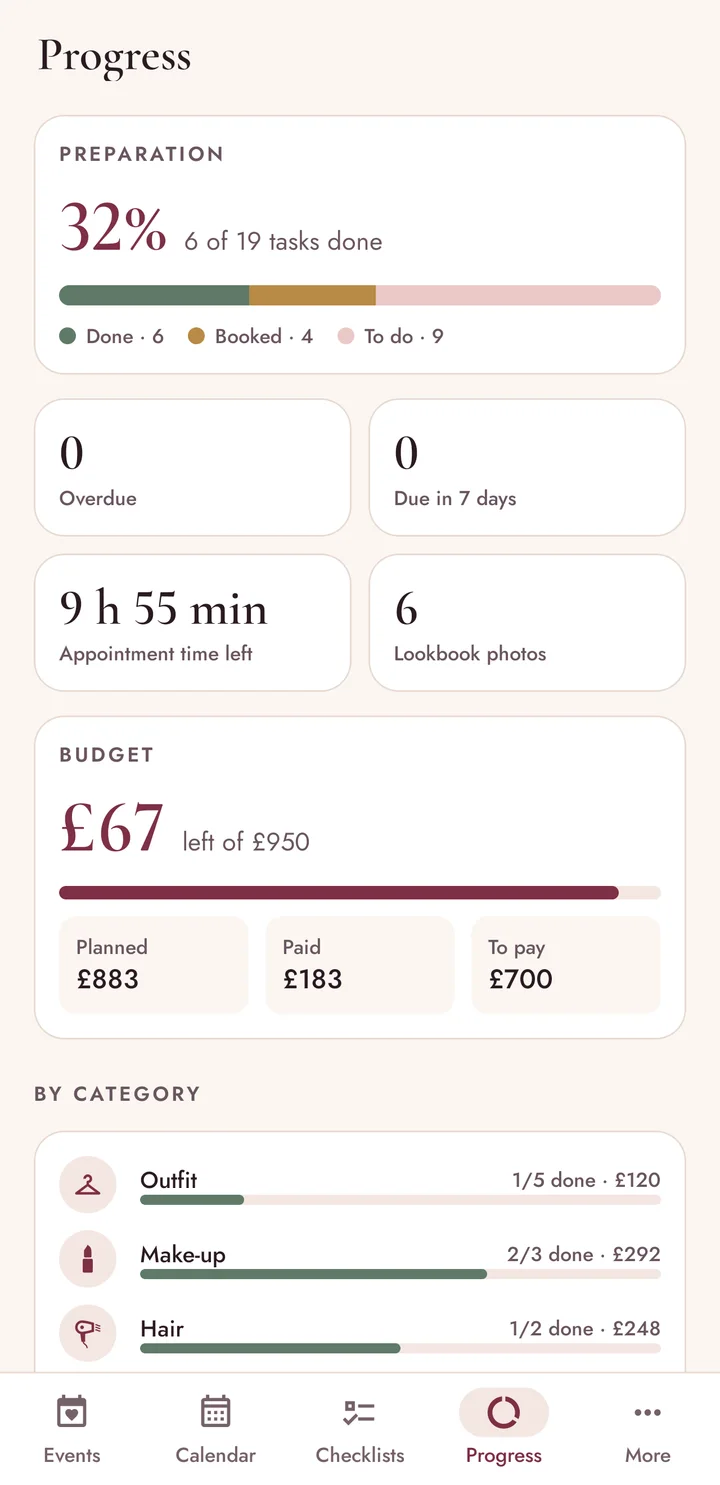
The first screen shows what needs attention today and how far along each event is. Mark tasks as booked or done as you go.
Around the plan
Calendar
A month view across all your events. Tap a day to see what is planned, what is overdue and what is coming in the next two weeks, or to add a task to it.
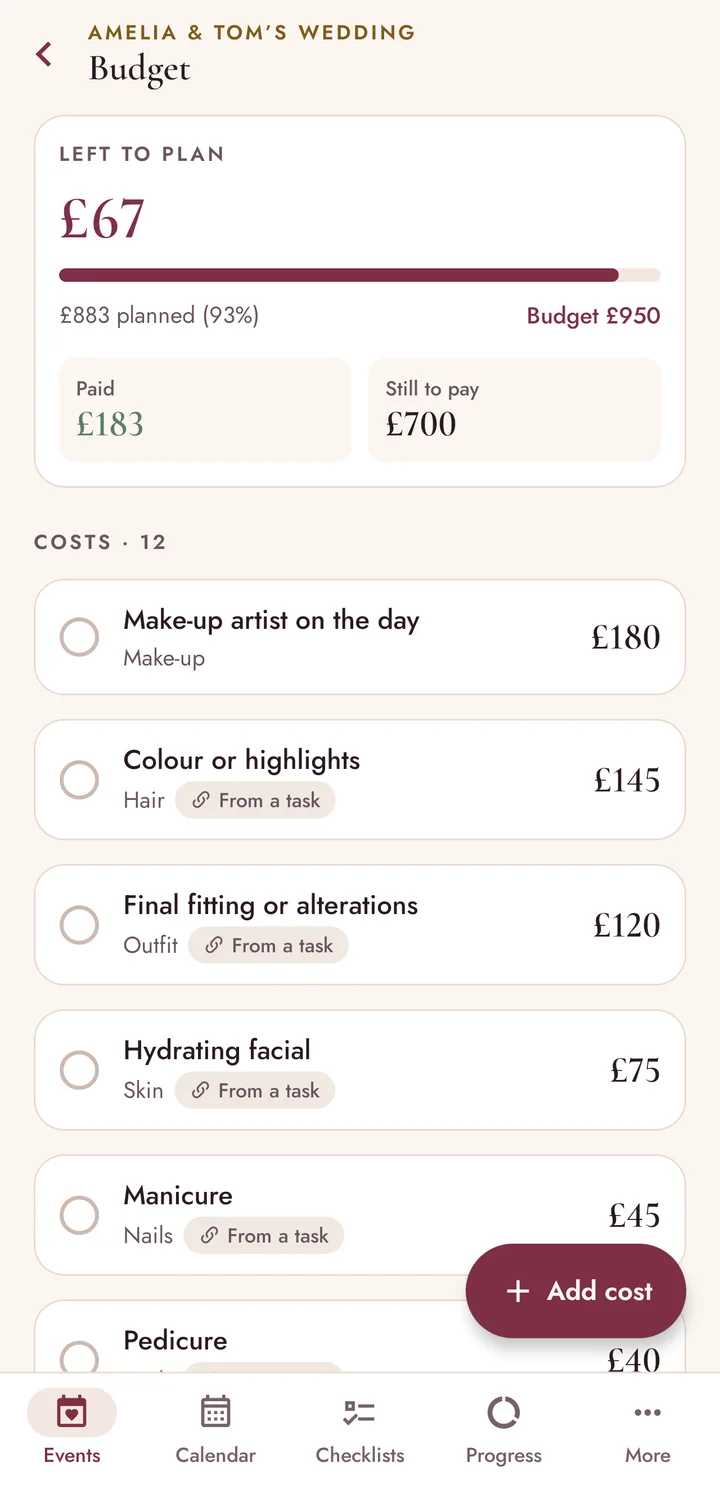
Budget
Set a limit for the event. A cost you enter on a task appears in the budget by itself; tick what you have paid and see the spending by category.
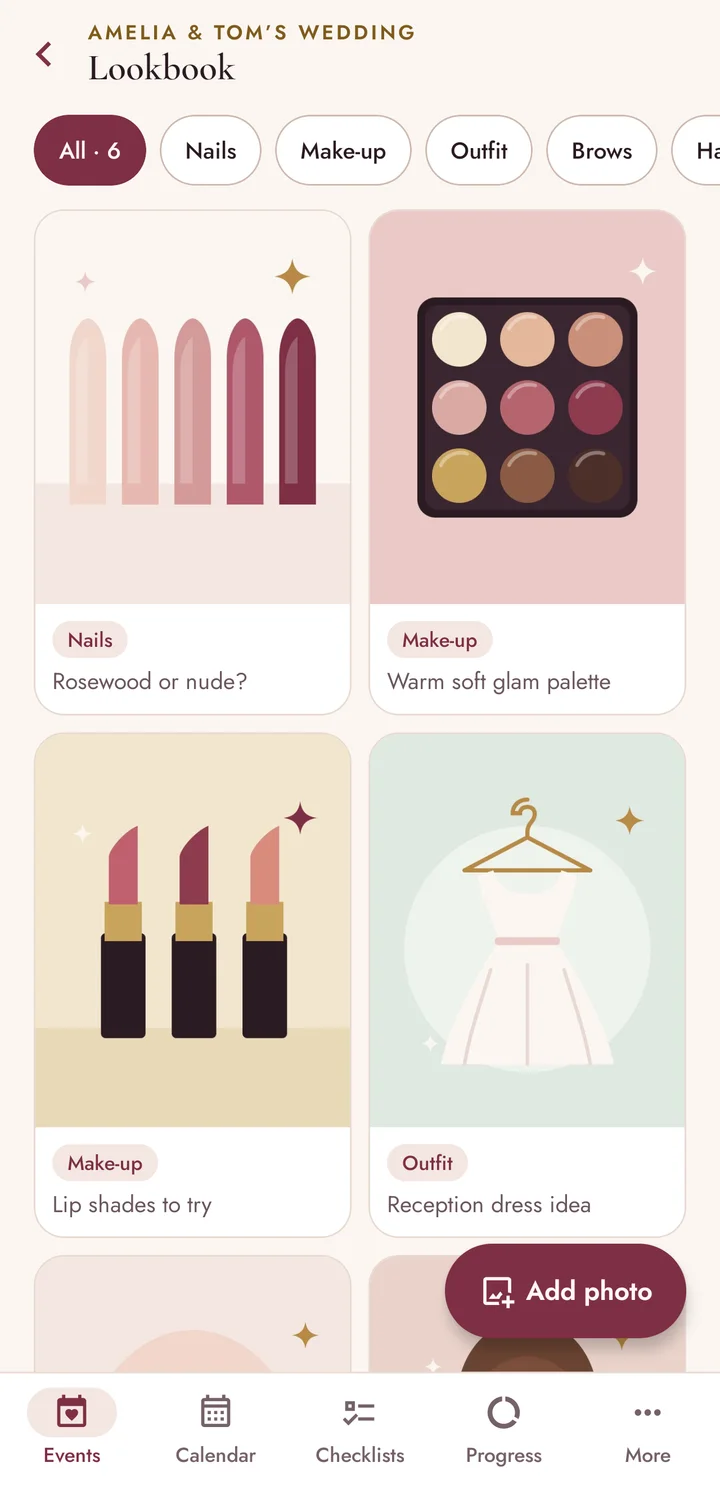
Lookbook
Save photos of hairstyles, make-up, nails and outfits from your gallery, add a caption and a category, and show them to your stylist at the trial.
On the day
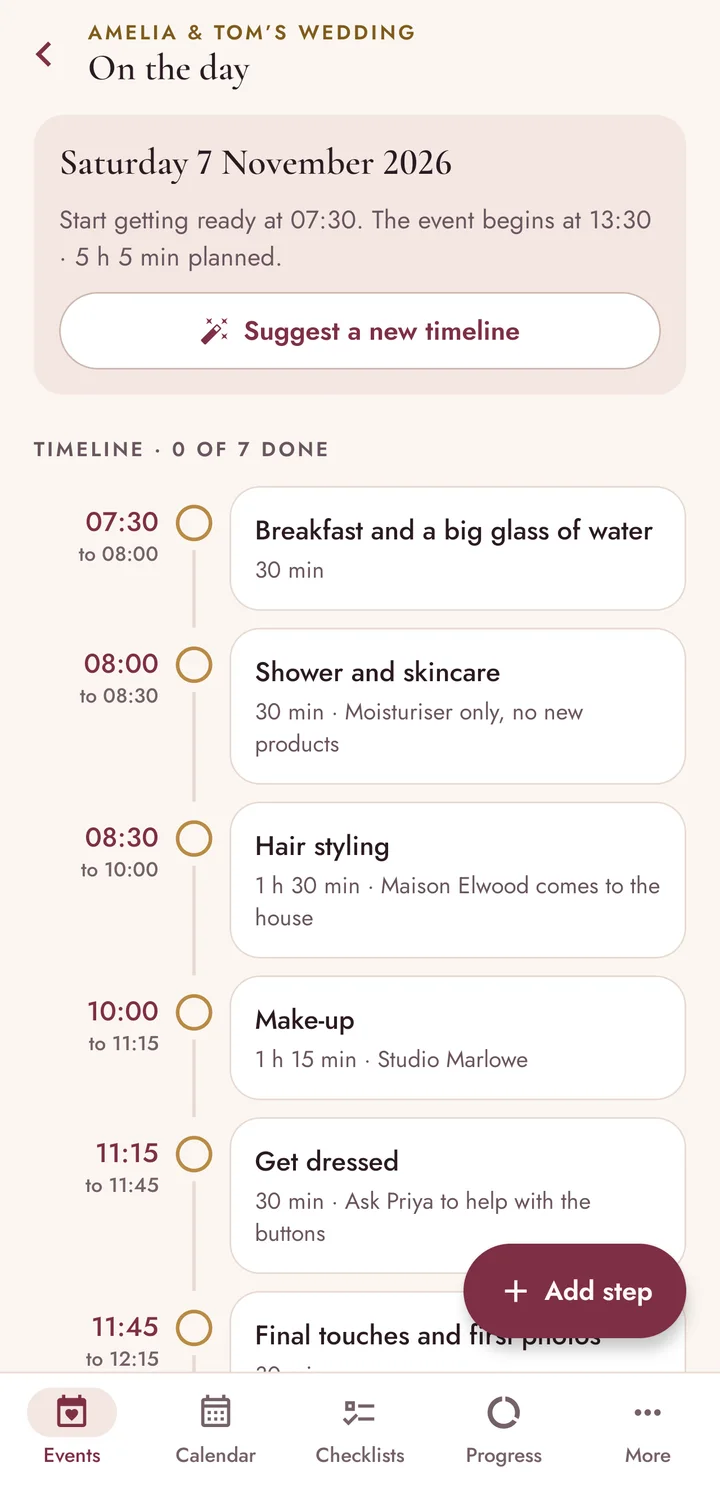
Ask for a suggested timeline that finishes before your start time, then adjust it: breakfast, hair, make-up, getting dressed. Tick the steps off as you go.
Also inside
Private by design
Your events, costs and photos are saved only on your device. They leave it only when you share a plan or save a backup file yourself.
Read the privacy policyNothing to sign up for and nothing to sign in to.
The app has no internet permission. It cannot send your plans or photos anywhere.
It is free and every feature is included.
It never pings you. What is due is on the first screen when you open it.
Questions
Something else? Write to [email protected] or see the help page.
Yes. There are no adverts, no subscriptions and no purchases inside the app. Every feature is included.
No. There is no sign-in, and the app works entirely on your phone without a connection.
The app sends no notifications. Instead, tasks that are due today or overdue are shown on the first screen and in the calendar every time you open it.
No. The plan is squeezed into the days that are left, and steps that are closer to the event than usual are marked so you can decide what to keep.
Yes. Every task can be moved, edited or removed, and you can add your own. Timings in the checklists are general guidance; your own hairdresser, make-up artist or skin specialist may advise differently.
Free for Android Coming soon to Google Play